

|
MQ models share the electrical specifications with XF models |
Model |
Serial |
MODBUS Master |
Digital Inputs |
Digital Outputs |
Analog Inputs |
Pulse count |
Script programming |
Power supply |
cLAN1205-XF |
1 x RS232 - RS485/RS422 ISO |
SI |
- |
- |
- |
- |
SI |
External 10 to 30Vcc |
cLAN1520-XF |
2 x RS232/RS485 |
SI |
- |
- |
- |
- |
SI |
External 10 to 30Vcc |
cLAN2205-XF |
1 x RS232 - RS485/RS422 ISO |
SI |
10(1) |
10(1) |
- |
10(1) |
SI |
External 10 to 30Vcc |
cLAN3524-XF |
2 x RS232/RS485 |
SI |
16(2) |
8 |
8 |
8(2) |
SI |
External 10 to 30Vcc |
(1) The device has 10 terminals that can be configure as digital inputs or outputs. All inputs can be used as pulse counters.
(2) Some digital inputs can be use as pulse inputs
(3) Differential inputs
Read the "cLAN Model" section to get serial ports, inputs/outputs and power wiring.
The cLAN's Ethernet port is a regular 10/100 Mbps port (10BASE-T / 100BASE-TX)
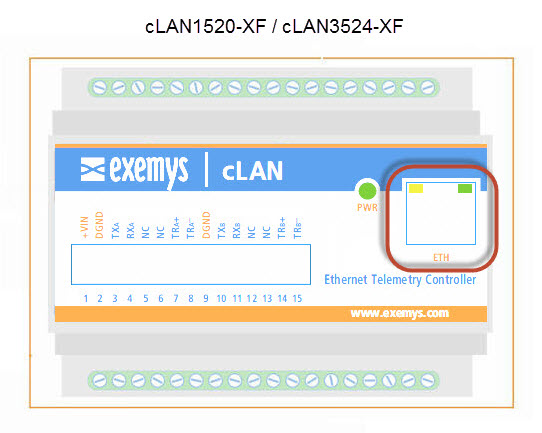
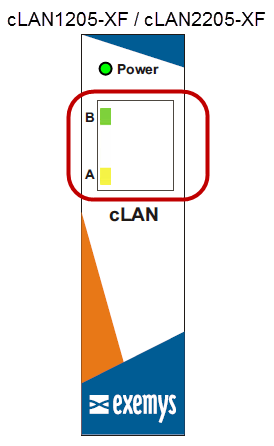
The cLAN has 3 LEDs indicators.
PWR: Power applied to the GRD
Network (yellow) : State of Ethernet port and IP configuration
LINK (green) : State of the connection between the cLAN and the Middleware
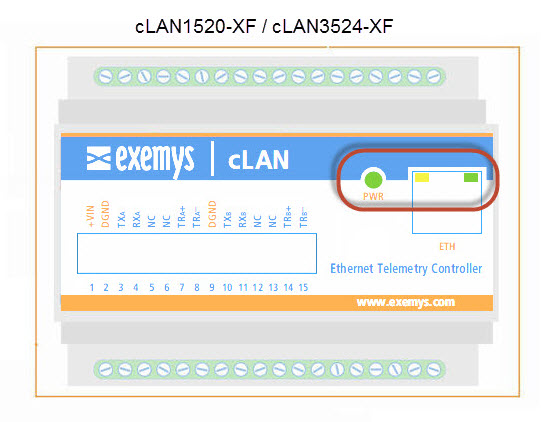
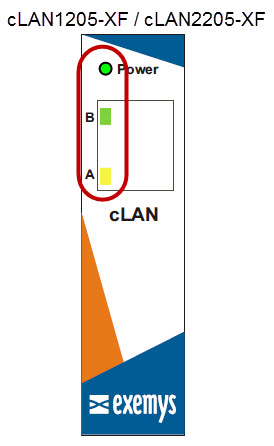
We find below the detail of the indication of each LED independently and in combination.
| Green | Yellow | Description |
|---|---|---|
Alternate blinking with the Yellow LED |
Alternate blinking with the Yellow Green |
Time to access the Serial port Console |
Off |
Fast blinking |
Ethernet cable disconnected |
- |
90% ON, 10% OFF |
Acquiring IP address using DHCP |
- |
10% ON, 90% OFF |
IP address and Ethernet port are OK |
Titila muy rápido |
- |
Connecting to the MW |
Encendido |
- |
Connected to the MW |
Encendido |
Encendido |
Deleting the registers memory |
2024-06-05
