For cLAN V2.5+ and GRD Config V9.0+
SNMP agent with traps
How it works
The cLAN can work as a SNMP agent. This allows the user to get the valor of the digital an analog channel from a SMNP manager.
It can send SNMP traps also. They can be triggered by a change on a digital input or if an analog input goes over a high/low value.
For this type of solution the following procedure must be followed:
- Install the cLAN.
- Install the configuration software (“GRD Config”) V9.0+, this application will allow us to configure all cLAN parameters locally or remotely.
- Configure the inputs/outputs in the cLAN according to their utilization:
- Physical inputs/outputs
- External Modbus inputs/outputs.
- Configure the cLAN serial port.
- Configure the “Embedded Modbus master" and the queries we want it to make.
- Enable traps in case your SNMP manager can handle them
- Configure the channels and enable the desired reports and historical records
SNMP agent configuration
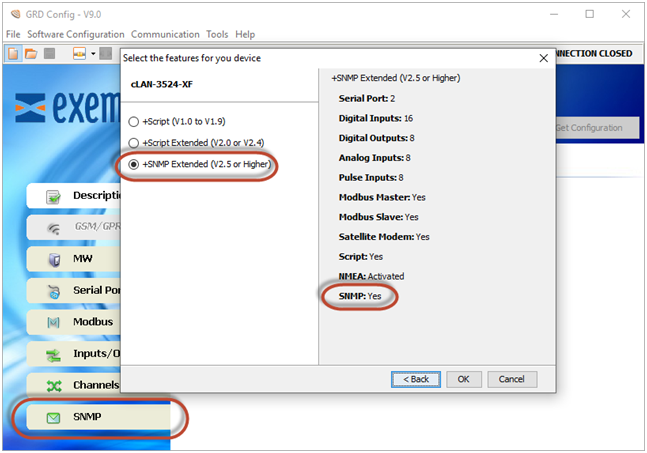
1. Install GRDconfig 9.0 or higher
2. Open GRDconfig and establish a connection to the cLAN. You should see the SNMP tab.
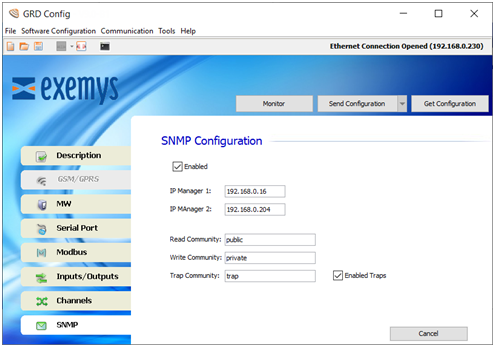
3. Click the SNMP tab and configure.
• IP Manager 1: 1st Manager to send SNMP traps
• IP Manager 2: 2nd Manager to send SNMP traps
• Read Community
• Write Community
• Trap Community.
Note: To enable this click Enable Traps first
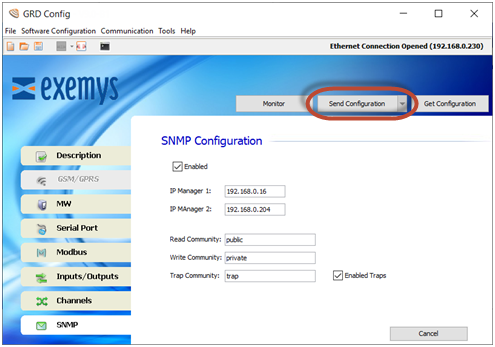
4. Click the "Send Configuration" button to send the configuration to the cLAN.
Traps configuration
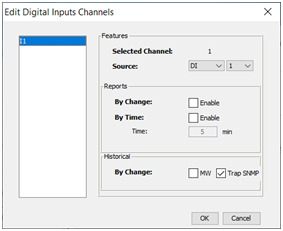
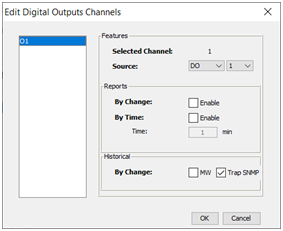
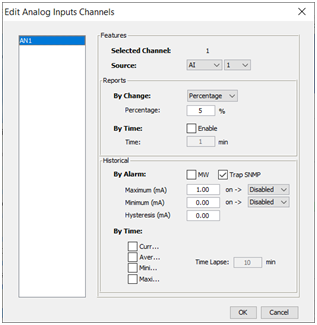
Traps are configured on each channel. Remember to enable traps and configure the trap community too.
Digital Input Channel
Digital Output Channel
Analog Input Channel
MIB, Getting channel values and network configuration
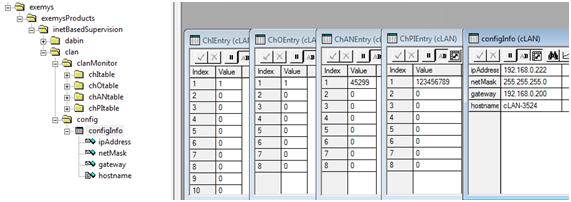
To be able to get the channel values you must compile the cLAN MIB in you SNMP manager ( https://www.exemys.com/beta/MIBS/CLAN.MIB )
The cLAN will allow allow you to get the four different channels in independent tables (digital inputs, digital outputs, analog inputs, pulse inputs)
The IP address, netmask, gateway and host name are also mapped.
The device will also answer with the values of the MIB-II objects sysDescr, sysOID and sysUpTime.
SNMP V2c support
Starting with firmware version 11.2, cLAN devices also respond to V2c queries.
Traps will be sent using the SNMP version of the last query received from the manager.
2026-01-06