

Model |
Ports |
Digital Inputs |
Digital Outputs |
Analog Inputs |
Analog Outputs |
Count Inputs (1) |
Power Supply |
wRemote-1000-CN |
RS232/RS485 |
- |
- |
- |
- |
- |
10 to 30Vdc |
wRemote-1500-ETH-CN |
ETH/RS232/RS485 |
- |
- |
- |
- |
- |
10 to 30Vdc |
wRemote-3004-ND |
RS232/RS485 |
4 |
2 |
2 |
- |
- |
10 to 30Vdc |
wRemote-3005-ND |
RS232/RS485 |
4 |
2 |
4 |
- |
4 |
10 to 30Vdc |
wRemote-5005-ND |
RS232/RS485 |
4 |
2 |
2 |
2 |
4 |
10 to 30Vdc |
(1) The count inputs are shared with the digital inputs
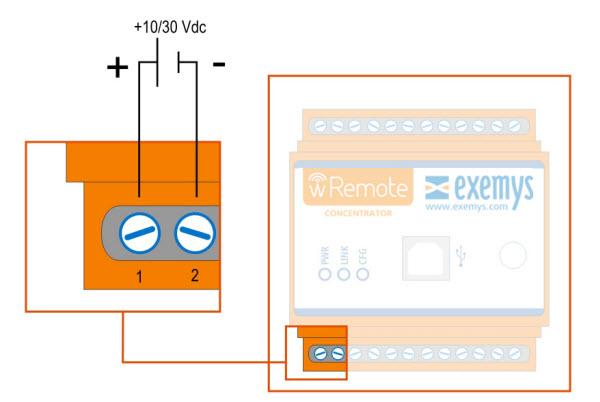
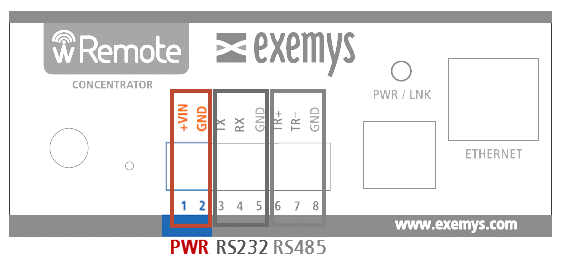
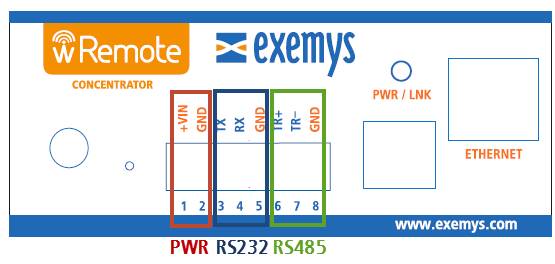
The terminals 1 and 2 correspond to the power source.
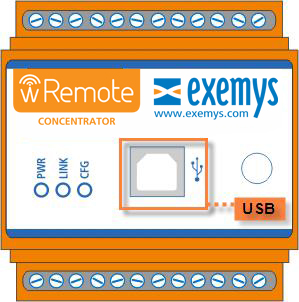
All of the wRemote models have a USB communication port. This port is used to configure or in the case of a concentrator also used for Modbus inquiries. For a connection with a PC a standard type “B” USB cable is used.
|
Attention, if you connect the USB port will be disabled RS232/485 serial ports. |
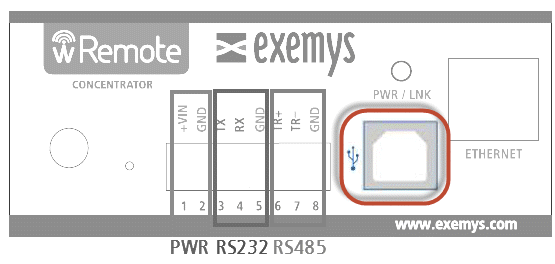
The RS232 port is a DTE type 5 wires (TX, RX, RTS, CTS, GND) and have a terminal block for your connection, the terminal blocks are TR+ and TR- for RS485.
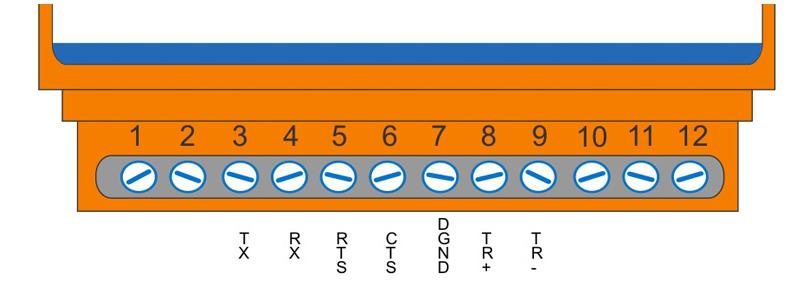
If you are going to use flow control there is no need to connect the CTS and RTS pins
For RS232 use terminals 3, 4 and 5. The wRemote is a DTE device(Tx transmits and Rx receives)
For RS485 use termianals 6 and 7. You can use terminal 8 if using a shield cable.
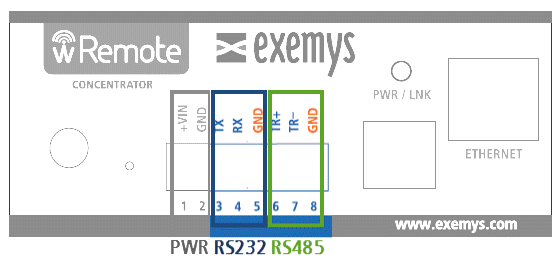
Below are the terminals for the I/O and wRemote power supply depending on each model.
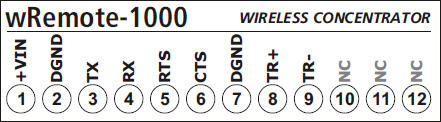



|
Attention, if a voltage is injected directly into an analog input and it is configured as 4-20mA, it may cause damage. |
The wRemote has 3 LEDs indicators.
POWER: Power applied to wRemote
LINK: Network Status
CFG: Configuration Mode
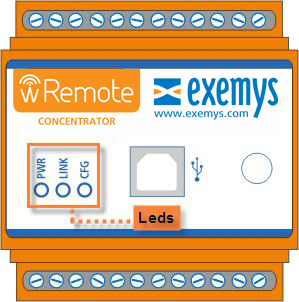
Continued below is a detailed chart of what each LED means independently and in combination.
PWR LED |
LINK LED |
CFG LED |
Description |
On |
- |
- |
Device on |
On |
Slow blinking |
Creation or connection of a network | |
On |
Fast blinking |
|
Connected to the network but not linked* |
On |
- |
Connected and linked to the network |
|
On |
- |
On |
Configuration |
Fast blinking |
Fast blinking |
Fast blinking |
Critical Failure |
Fast blinking |
Off |
Fast blinking |
Serial Number not configured |
Fast blinking |
Slow blinking |
Fast blinking |
Model not configured |
* This state only occurs in the "Nodes".
During the boot process (7 seconds) the yello and green LED will blink fast. Then, the green LED will go off and the yellow will blink in different modes, showing the Ethernet interface status.
The green led will stay off until recieving a TCP connection on ports 502 or 10000.
The PWR/LNK will blink following the wireless network activity.
The wRemote has a reset button; to operate it you must have a cylindrical item with the correct diameter to enter the device whose location can be viewed in the figure below.
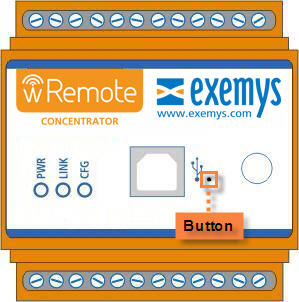
The button fulfills different functions depending on the type of device:
In the concentrators it restarts the network.
In the nodes, it resets the network but disassociates from it. It then searches for another network it can connect to that it may or may not have been connected to previously.
2021-11-12
