

Model |
Serial Port |
Discrete Inputs |
Discrete Outputs |
Analog Inputs |
wSerial-C |
RS232/RS485 |
- |
- |
- |
wSerial-N |
RS232/RS485 |
- |
- |
- |
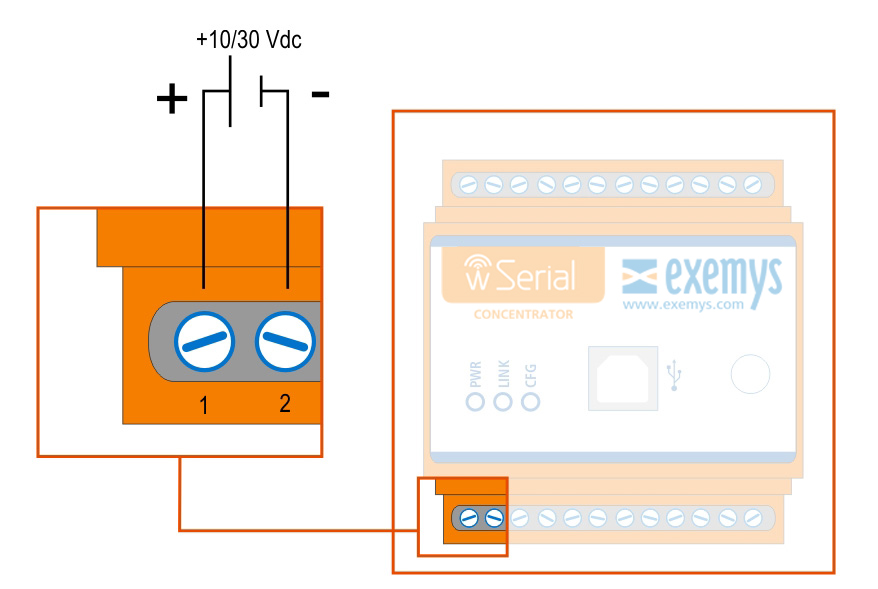
The terminals 1 and 2 correspond to the power supply.
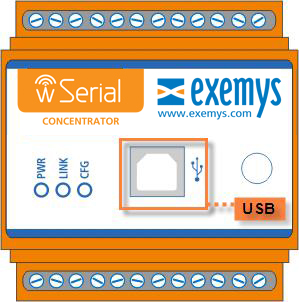
All of the wSerial models have a USB communication port. This port is used to configure it or in the case of the "Concentrator", also to send data. For the connection with the PC, a standard USB cable of type “B” is used.
The port RS232 is of the type DTE of 5 wires (TX, RX, RTS, CTS, GND) and has a terminal for it’s connection, and the terminals TR+ and TR- for the RS485.
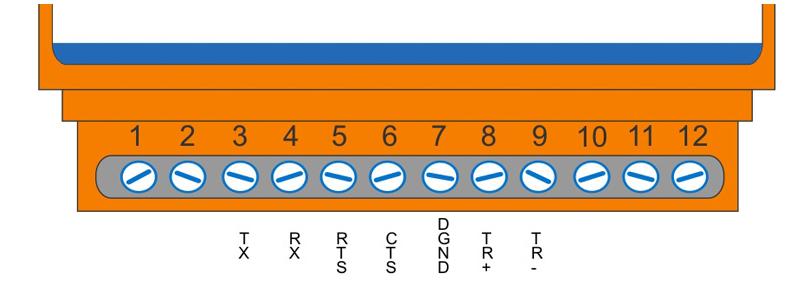
It is not necessary to connect the pins of CTS and RTS if flow control is not going to be used.
The wSerial has 3 LEDs indicators.
POWER: Energy applied to the wSerial
LINK: Network Status
CFG: Configuration Mode
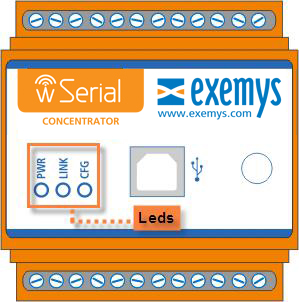
Below the details of each LED in independent form and in combination form are shown.
PWR LED |
LINK LED |
CFG LED |
Description |
On |
- |
- |
Device on |
On |
Slow blinking |
Creation or connection of a network | |
On |
Fast blinking |
|
Connected to the network but not linked* |
On |
- |
Connected and linked to the network |
|
On |
- |
On |
Configuration |
Fast blinking |
Fast blinking |
Fast blinking |
Critical Failure |
Fast blinking |
Off |
Fast blinking |
Serial Number not configured |
Fast blinking |
Slow blinking |
Fast blinking |
Model not configured |
* This state only occurs in the "Nodes".
The wSerial has a reset button and to activate it you must have a cylindrical element of appropriate diameter since you find it in the interior of the equipment. In the image we can see it’s location.
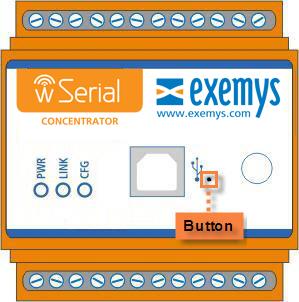
The button serves several functions according to the type of equipment:
In the "Concentrators", it restarts the network.
In the "Nodes", restarts the network but unlinks it, so that you can look for a new network that may or may not be the one to which it was connected.